Eagle Eyed Painting
Simplifying the journey from entry to enquiry
" height="359.81217777777783px" id="SkAEDF3i6" transform="translate(63.107 0)" width="157.61763920274632px"/><path d="M 4.558 132.89 C 14.632 122.017 24.467 110.823 34.062 99.308 C 43.657 87.635 52.613 75.96 60.928 64.287 C 64.127 63.967 67.645 64.047 71.483 64.526 C 75.481 65.006 78.759 65.886 81.318 67.165 L 81.318 247.55 C 81.318 284.971 67.645 303.681 40.299 303.681 C 27.666 303.681 17.751 299.924 10.554 292.408 C 3.518 284.891 0 274.577 0 261.463 C 0 232.359 19.83 205.093 59.489 179.666 L 59.489 104.346 C 54.691 110.102 49.814 115.86 44.857 121.616 C 39.899 127.214 35.182 132.411 30.704 137.208 C 26.386 141.846 22.628 145.605 19.43 148.483 C 15.752 146.883 12.553 144.884 9.835 142.485 C 7.276 139.927 5.517 136.729 4.558 132.89 Z M 21.589 260.984 C 21.589 267.86 23.188 273.217 26.386 277.056 C 29.585 281.054 33.982 283.053 39.579 283.053 C 53.172 283.053 59.969 271.219 59.969 247.55 L 59.969 204.613 C 34.382 222.684 21.589 241.474 21.589 260.984 Z M 71.962 32.623 C 67.485 32.623 63.647 31.024 60.448 27.825 C 57.25 24.627 55.651 20.789 55.651 16.312 C 55.651 11.514 57.17 7.596 60.209 4.558 C 63.407 1.519 67.325 0 71.962 0 C 76.76 0 80.678 1.519 83.716 4.558 C 86.755 7.596 88.274 11.514 88.274 16.312 C 88.274 20.949 86.675 24.867 83.477 28.065 C 80.438 31.104 76.6 32.623 71.962 32.623 Z" fill="rgb(255, 255, 255)" height="303.6810940978712px" id="sDF83yTBA" transform="translate(0.28 56.127)" width="88.27394645616337px"/></svg>)
From brief to battlefield in moments
Making the user do all the work
Learning the game first
The brief leaned toward copying the formula of established competitors like Den of Imagination and Siege Studios. I pushed back on that starting point.
This wasn't formal user research so much as a judgment call grounded in observing how those competitors actually behave online: established businesses can afford to simply state what they do, because they already have the audience, loyalty, and brand recognition to back it up. Eagle Eyed Painting didn't have that yet. A new online presence from a small studio needs to sell the case for itself, not just tell customers what's on offer.
Copying a formula built for an audience that already trusts you would have ignored the one problem this project actually needed to solve.


Most quote forms in this space are flooded with fields that are irrelevant at that stage, or only marginally useful to the business, and their presence does more to discourage a submission than the data collected is worth.
The fix starts with a strict question for every field: what's the bare minimum needed to actually process this request? Anything beyond that has to justify itself against a real business need, not just be included because it might be useful later.

To define the logic behind the form I spoke to multiple Warhammer players both in person and online as mentioned before.
This shaped how smart defaults work within the model selector: series, faction, and the assembly tick box all default automatically after the first model is selected, saving roughly six seconds per entry on average.
These specific fields were chosen because armies must stem from the same series and faction, and because multiple players described assembling either their entire army or none of it, never a mix.

This was a handoff project, so maintenance had to work without me. Charging the client for every small edit, whether a new model drop or a gallery update, would effectively hold him hostage to my continued involvement. For the gallery, that meant a simple copy-paste component that auto-formats across breakpoints and takes drag-and-drop images directly.
For the far larger model picker, I used AI assistance to gather data from the official Warhammer site's full current range into one organised spreadsheet the client can edit himself, no code, no risk of breaking the site, feeding into the live form as JSON so changes go live instantly rather than waiting on a republish.
Security followed the same logic: with a niche, modest-traffic audience, reCAPTCHA's extra step wasn't worth slowing the form down for, so a honeypot field catches bots without asking anything of a real customer.
Established competitors can afford a landing page with no fluff, quick, functional, straight to the point, because their audience already knows who they are. Eagle Eyed Painting doesn't have that privilege yet. Being new to painting isn't the issue, being a new online presence is: the page can't just show what's on offer, it has to sell it.
Rather than the usual side-by-side comparison, pricing tiers are staggered, giving each one its own moment rather than inviting a direct value comparison that makes any tier look like the lesser option. Golden ribbons guide the eye and signal there's more to scroll to, so no tier gets treated as an afterthought.
Video shows a version of the site before client alterations
The removal of error
4X Faster
quote submission
Over 3X Faster
Individual model selection
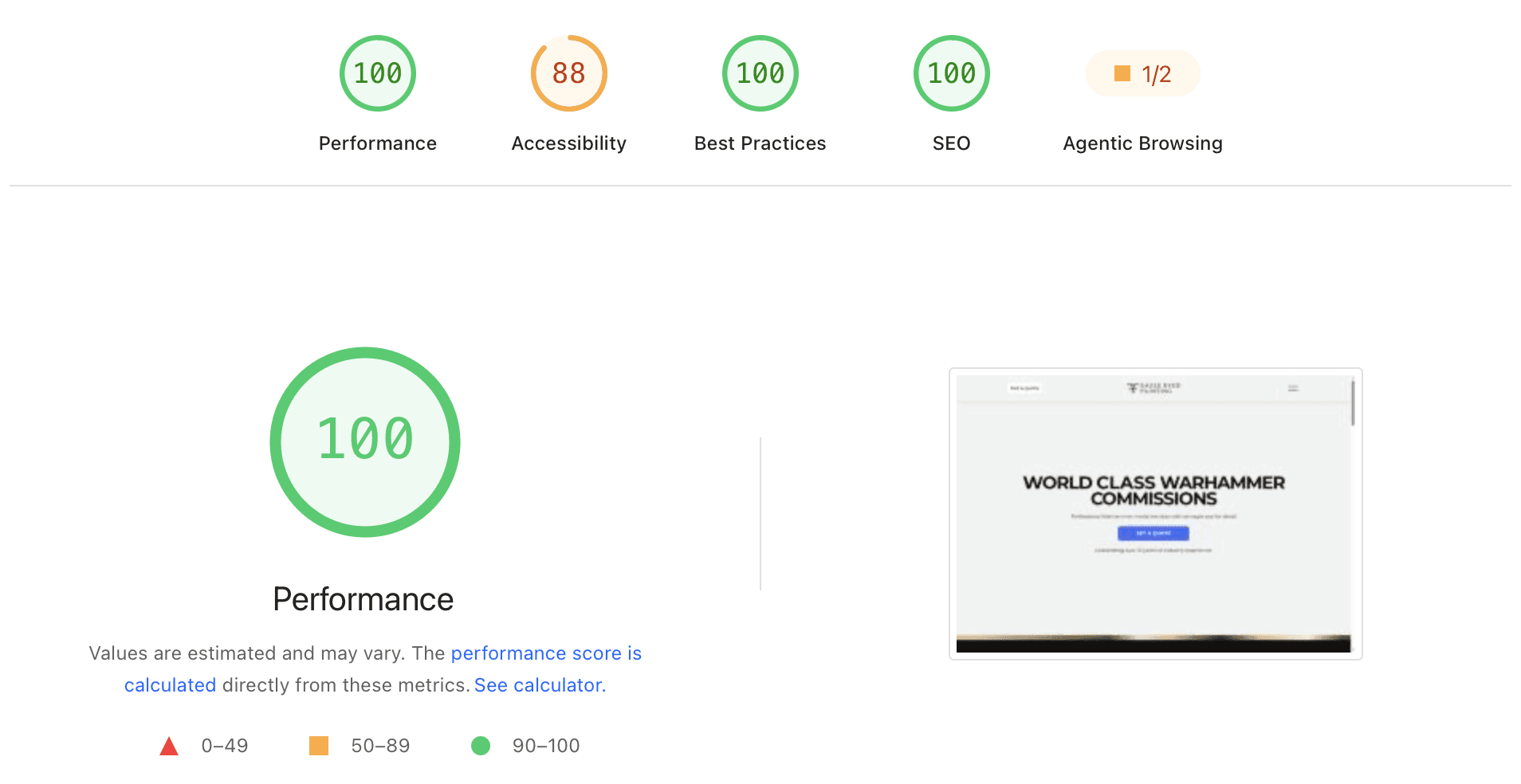
100 Scored
For SEO, Performance & Best Practices
REFLECTION
Client relations
My mindset
Most of the products I've worked on are broader applications: multiple use cases, wide user bases, plenty of edge cases to plan for. This project was narrower, a single niche group with one job, converting a quote. That difference changed my instincts more than I expected. I approached it with less of the usual exhaustive edge-case breakdown, assuming a smaller scope meant fewer ways for it to go wrong. It's a bias worth watching for: scope and complexity aren't the same thing, and a narrow brief can hide as many sharp edges as a broad one.